Mbike - Catalogue. Community. Map.
 Catalogue. Community. Map.

Tours
-
Travelog
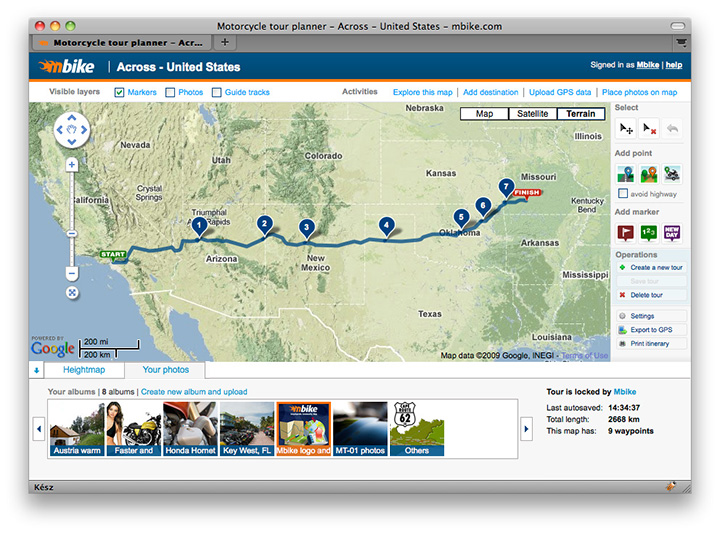
Write a detailed story about your tour. Give the scenery, the traffics, the difficulty level and a lot of other details. Insert photos from your albums or from any other webpage. Our WYSIWYG editor makes it easy for everyone.
-
Route
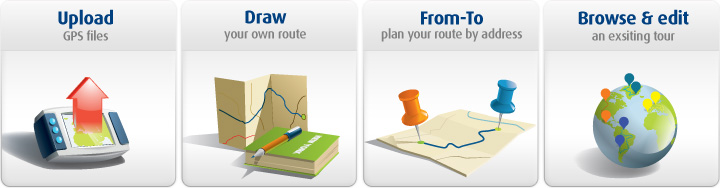
There are 4 ways to create your route: upload a GPS log file, draw the route by placing waypoints with the mouse, calculate driving directions between two addresses or use somebody else’s tour as a guide.
-
Autoroute
 Just place waypoints with the mouse, they will follow the road. Marked with blue line.
 -
Offroad route type
 For those who love nature and have some kind of enduro or ATW. This route type can be drawn freely. Marked with orange line.
 -
Transport route type
 If your motorcycle is transported, use this route type to show the motorcycle didn’t roll its own wheels. For example: transported in a trailer, plane or shuttle. Marked with green line.
-
Section Markers
 Place section markers on the route. Later you can refer to them in the travelog. The travelog will display a small map centered to the section marker.
 -
Event Markers
 Mark events which has happened to you during the tour. Either you have had a lunch or found great curves.
-
Height map
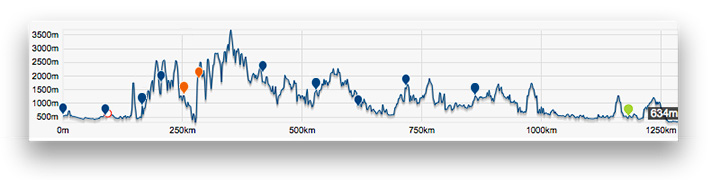
Our height map shows the altitude of your route, so you will know if there is a hilly terrain or a fast section where you are rollin’.
-
Embed map into your webpage
Insert the published tour into a webpage. This is an interactive map with markers, panning and zooming.
-
Google Maps
 Our fascinating tour planner uses Google Maps.